This release includes numerous user interface enhancements, new administrative features, scheduling improvements, and expanded dashboard capabilities designed to improve usability and streamline workforce management.
RULES
#579 – OT Policies
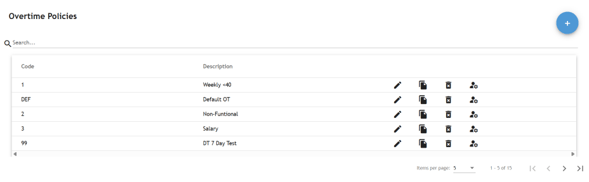
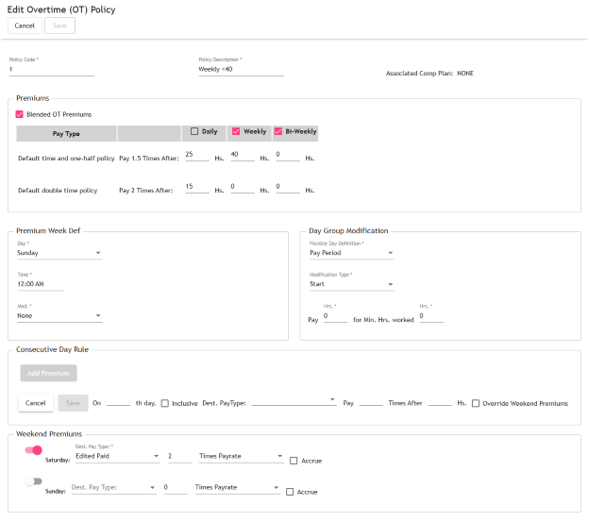
The Overtime Policies configuration pages have been redesigned with a modern interface that improves usability while maintaining all existing functionality. Administrators can continue to configure overtime rules using an updated and more intuitive experience.
List
Add/Edit
#607 – IVR Profiles
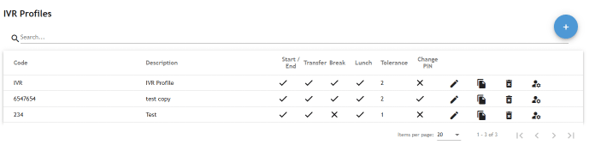
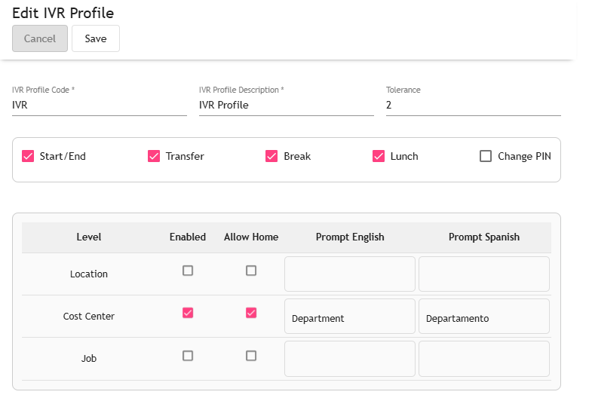
Organizations using the TreeRing IVR solution can now configure IVR settings through a dedicated IVR Profiles page. The new interface allows administrators to configure:
Start/End punches
Transfers
Breaks
Lunch punches
PIN changes
Prompt configuration by organizational level This simplifies IVR administration and provides greater flexibility when configuring phone-based time collection.
List
Add/Edit
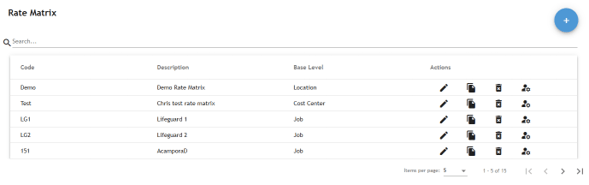
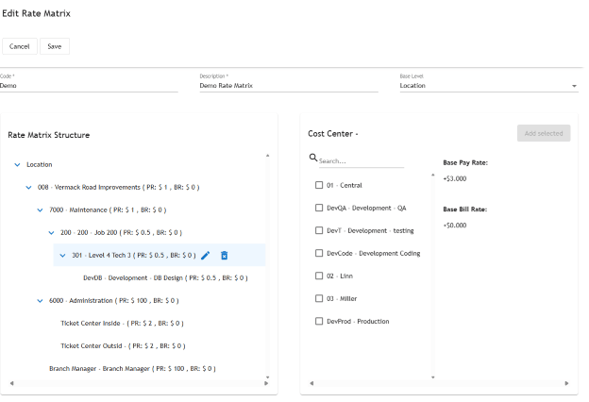
#579 – Rate Matrix
The Rate Matrix configuration pages have been modernized with an updated user interface while preserving all existing functionality.
The new design makes it easier to maintain pay rate structures and navigate organizational rate assignments.
List
Add/Edit
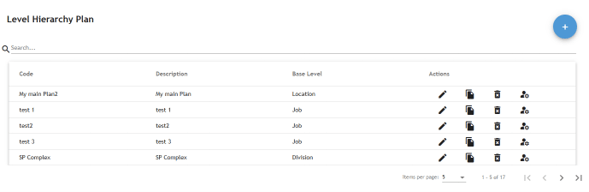
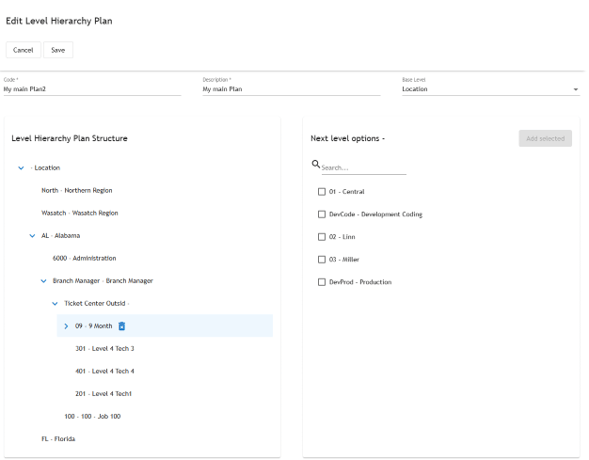
#579 – Level Hierarchy Plan
The Level Hierarchy Plan configuration has also been redesigned as part of the ongoing modernization effort. Administrators can continue managing organizational hierarchies through a cleaner, more streamlined interface without any changes to existing functionality.
List
Add/Edit
ETIMECLOCK / ETIMECLOCK PROFILE
#588 – Bulk Transactions Management
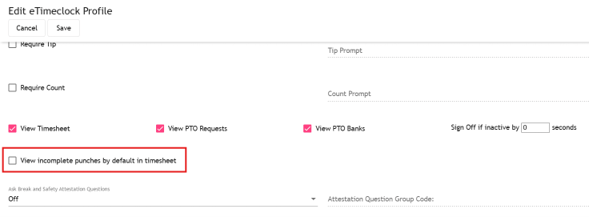
A new eTimeClock Profile option allows administrators to display Incomplete Punches automatically whenever an employee opens their timesheet.
Previously, employees were required to manually enable this filter during each session. This enhancement improves visibility of missed punches and helps reduce payroll corrections.
ETIMECLOCK PROFILE
#588 – Bulk Transactions Management
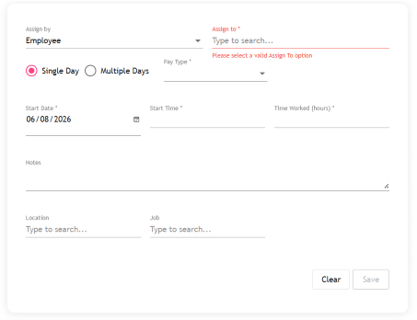
The Bulk Transaction Management page has been redesigned with a more intuitive user interface while maintaining its existing functionality. Administrators can continue assigning transactions for:
Individual employees
Multiple employees
Supervisors
Organizational levels
Single or multiple dates
New Enhancement
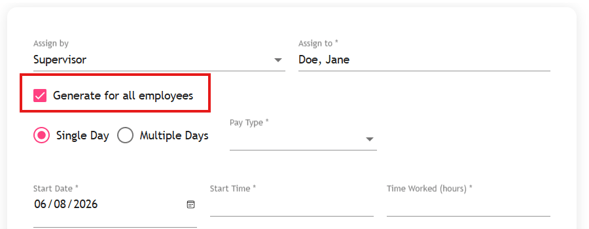
When assigning transactions by Supervisor or Organizational Level, administrators can now choose to:
Apply transactions to all matching employees (default)
Select only specific employees
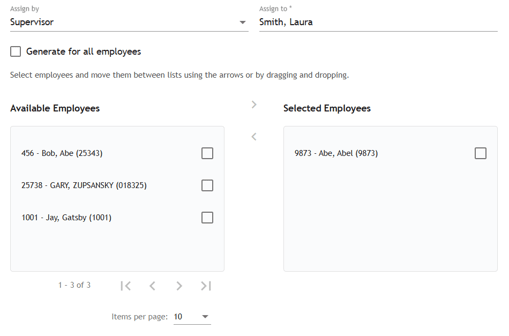
If “Generate for all employees” is deselected, dual selection lists are displayed, allowing users to easily choose which employees will receive the transaction.
An improvement introduced is, when assigning by supervisor or org level, allowing to create the transaction/s for all or some of the employees. By default, the option to generate for all the employees is selected
But if it’s unchecked 2 lists will display with the list of employees matching the “Assign by” criteria to pick the employees to which the user wants to create the transactions.
SCHEDULE TEMPLATES
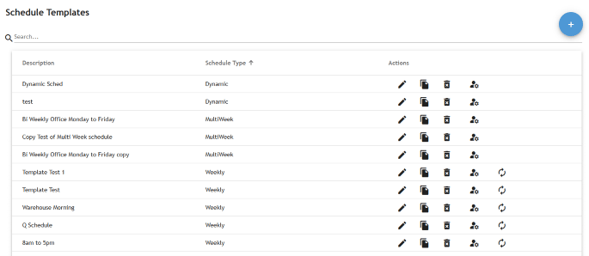
#576 – Merge of “Weekly”, “Multi-day” and “Dynamic Schedule” configuration pages
The previously separate configuration pages for:
Weekly Schedules
Multi-Day Schedules
Dynamic Schedules
have been consolidated into a single Schedule Template configuration page. This provides a simpler and more consistent administration experience.
List
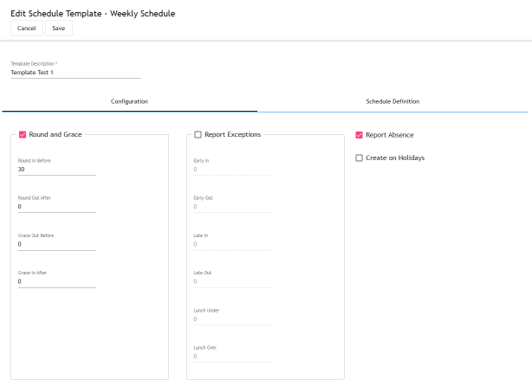
Add/Edit
Configuration. This tab contains the general configuration information used in the schedules.
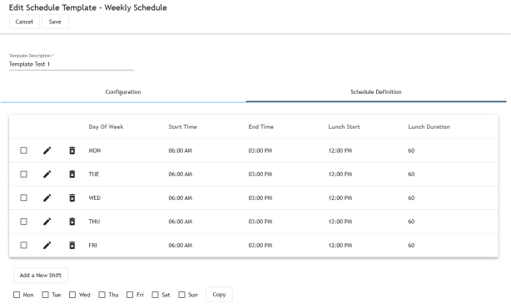
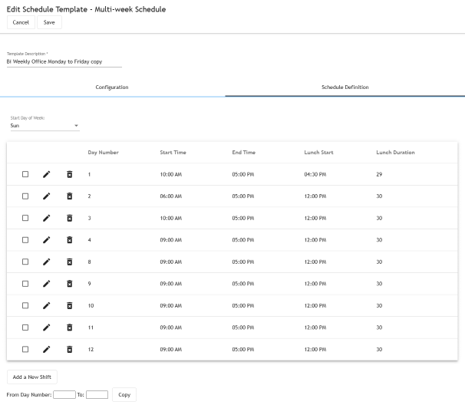
In the case of Weekly and Multi-Day schedules they both contain a second tab for the schedule definition specific for the type of schedule.
Weekly.
Multi-Day.
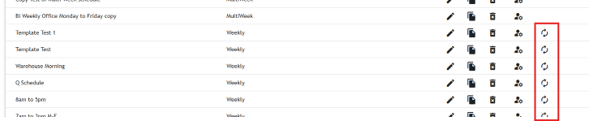
In the case of the weekly schedules the grid contains an option to regenerate schedules for the assigned employees.
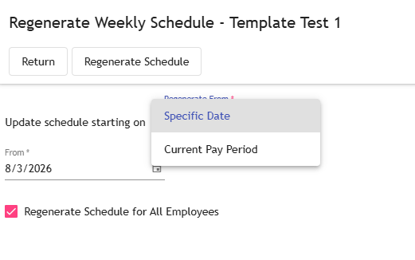
This opens a dialog with the configuration for the regenerate offering 2 options, regenerate current pay period or specify a date.
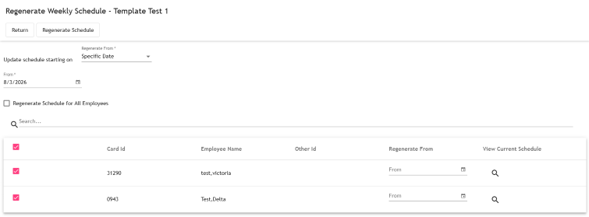
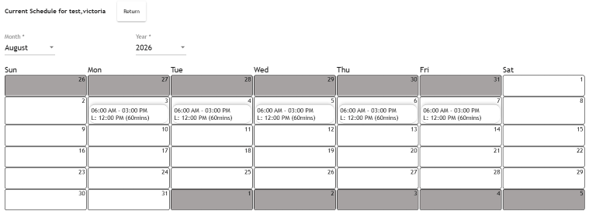
By default, the schedule will be regenerated for all the employees assigned to the selected Schedule but the user can specify only a group of employees to regenerate and, if the schedule is regenerating from a specific date, it can overwrite the “Regenerate From” date (if left blank it uses the general “From” date). Also, on the employees’ list the user has the option to view the current employee’s schedule (fig 2)
Fig 1
Fig 2
COMPANY MEMBERS
#642 – Change on the selection of “State” in the Addresses section
The Address screen now automatically adjusts the State/Province field based on the selected country.
United States: Displays a drop-down list of states.
All Other Countries: Allows free-text entry for provinces, states, or regions.
This enhancement improves international address support.
#643 – Delete functionality
Company Members can now be deleted provided they have no associated activity or historical records within the system.
EMPLOYEE SCHEDULES
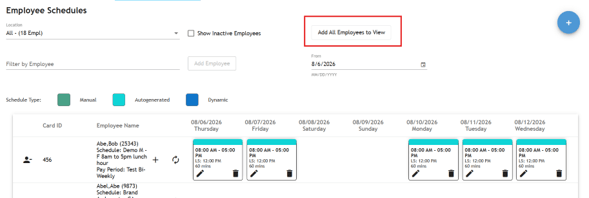
#659 – Add all functionality
A new Add All Employees to View feature allows users to quickly load all employees matching the selected filters.
Features include:
Supports up to 100 employees at one time.
Works with both Employee Schedule filters and Global Filters.
Makes scheduling large groups significantly faster and easier.
DASHBOARD
#639 – New charts in widgets
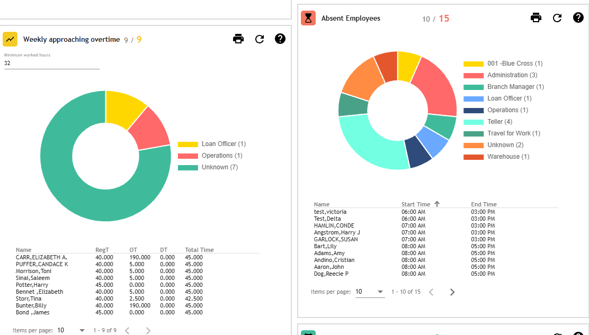
Several dashboard widgets now include interactive pie charts, providing a visual summary of workforce data.
Supported widgets include:
Absent Employees
Weekly Approaching Overtime
Pending Time-Off Requests
Selecting a chart segment automatically filters the employee list below, allowing managers to quickly identify employees within each category.
Grouping is controlled using the company configuration option: ‘DASHBOARD|CHART_LEVEL’
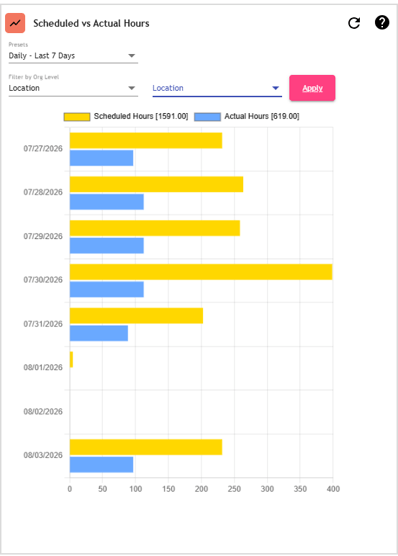
#649 – New widget “Actual vs scheduled hours”
A new dashboard widget provides a comparison between Scheduled Hours and Actual Worked Hours over a selected period.
Key features include:
Compare scheduled versus worked hours.
View data for all assigned employees.
Filter results by organizational level.
Quickly identify scheduling variances and staffing trends.
This widget helps managers monitor labor utilization and improve schedule accuracy.